
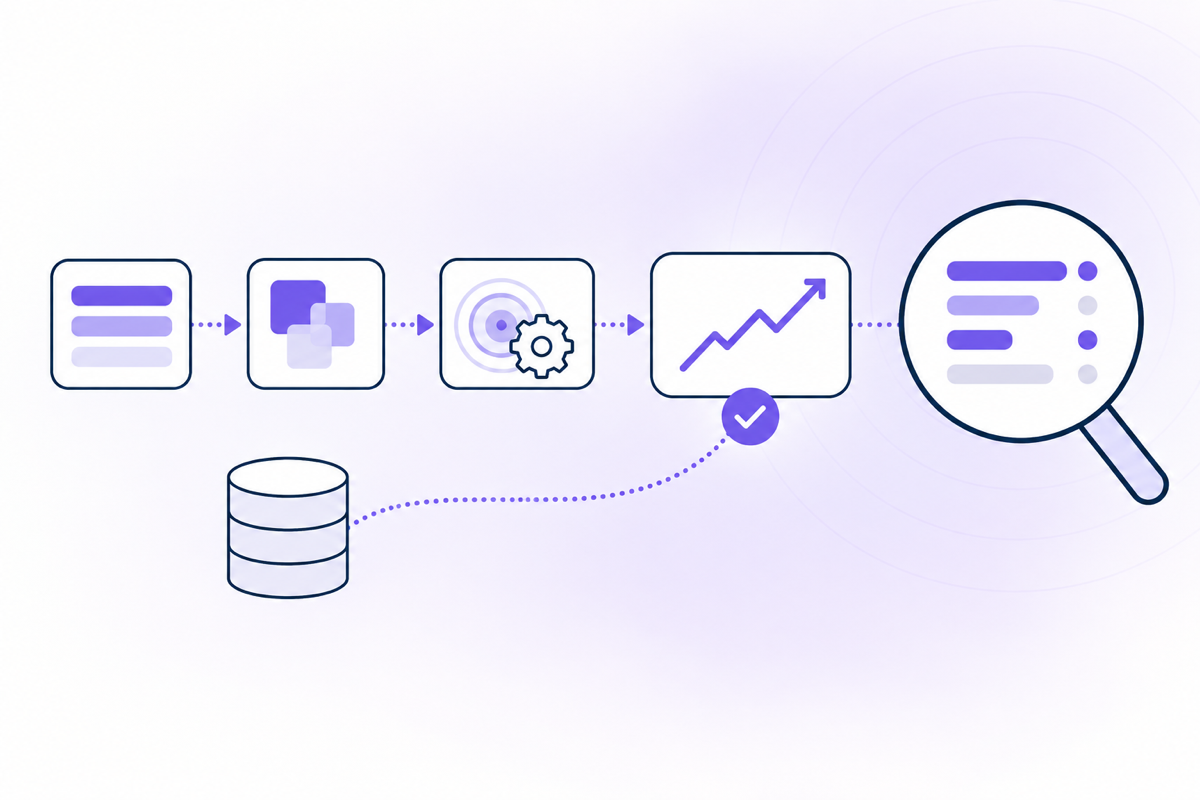
Translated from the Japanese original on mureo.jp.
You are running ads and the conversions column in the ads interface sits at zero and does not move. Or the number of enquiries you are actually receiving does not match the count shown in the interface. When that happens, checking whether the tracking itself is working, before you go suspecting the ad copy or the keywords, often ends the matter right there.
Conversion tracking splits into two questions, whether it is in place and whether the numbers are arriving, and what follows is how to check them in order. The material is what actually happened when we built tracking on our own site, and the published record of someone running ads themselves on a small budget. The second half goes as far as how to do this check with read-only access alone.
The overall picture of handing ad ops to an agent is in Can you automate ad ops with Claude Code?.
A record of eight months of delivery with no tracking in place
A sole trader in Japan taking on BtoB consulting work has published a record of running Google search ads in four separate runs. Eight months in total, about ¥168,000 spent (¥60,000 of it in coupons). Roughly 980,000 impressions in all, 5,153 clicks, and zero enquiries. Daily budgets ran from a few hundred yen to around ¥2,000, CTR from 0.41% to 0.57%, and CPC from ¥20.7 to ¥67.5.
The items they write that they configured come to nine. Campaign, run dates, daily budget, days and hours, ten keywords, geography, headlines, descriptions, structured snippets. Conversion tracking is not among the nine. Results were counted by whether an enquiry arrived on their own website.
Eight months can pass unnoticed because the ads interface does not stop delivery whether conversion tracking exists or not. Get the keyword syntax wrong and nothing serves, so you find out the same day. With no tracking, impressions and clicks keep accruing as normal. The only thing missing is the results column, and a column of zeros there is indistinguishable, on screen, from results genuinely being zero.
The two failures that provider-side articles name again and again are continuing to run without conversion setup in place, and spreading the budget thin. This record traces the first of them exactly. The point that automated bidding has no material to learn from when volume never returns to the platform is covered, alongside where delivery goes, in Outsourcing search ad management on a small budget, so what follows is confined to the tracking side.
One caveat: the record cited here is public, but we have not verified the author’s line of business or their results. No names, only the figures and the mechanism they reveal.
The difference between placing a tag and the numbers arriving
Being set up is not in itself reassurance. When we built tracking for the enquiry form on our own site (mureo.jp), we ran into a state where the tag was in place and not a single figure arrived.
What we built first called the analytics tool’s function (gtag())
directly from the page at the point the form submission completed. The
code is there on the page, and the browser console shows no errors. Even
so, nothing arrived on the analytics side. The only path that worked in
the end was pushing the fact of the submission onto the data layer and
having the tag manager pick it up and fire.
Which is to say, whether it fires cannot be determined by reading the page’s code. That the tag is written there, that the tag meets its firing conditions, and that what fires is accepted by the platform each have to be confirmed separately. The determination happens on the receiving screen, not the sending side.
Where there are two sending paths, a further condition appears. On mureo.jp the form submission event goes from the browser and, at the same time, from the server to the platform’s API as the same event. Both carry the same event ID, and the platform deduplicates on it. Without matching IDs, one submission is counted, quite straightforwardly, as two. If the count nearly doubles from the day server-side sending was added, look first at the possibility that deduplication is not working, rather than at results having gone up.
What is happening when the counts do not match
There is also the shape where the numbers arrive but do not tally. On mureo.jp we reconciled the count sitting in the analytics tool against the count left in the CRM, and they did not match. The discrepancy runs in both directions. Two submissions from the same person are counted by the analytics tool as two. In the other direction, we also had cases where server-side sending succeeded and nothing appeared on the analytics tool’s screen.
The reasons differ, but only one thing follows. If you want to count people, the CRM is the only place to count them. What the analytics tool counts is the number of times an event occurred, not the number of prospects. Keeping the two apart, figures on the ad side for delivery decisions and figures on the business side for conversations that actually started, cuts down on misreading.
When you read also carries a condition. Some of the analytics tool’s metrics return zero for the previous day. That is processing lag, not a fault. Look at yesterday’s figure and conclude that things stopped yesterday, and you will go hunting for a cause where nothing happened. Waiting and reading as far back as the day before yesterday avoids the misreading.
The contents are mixed as well. Reconciling the enquiry events that reached mureo.jp one by one, three kinds were in there: our own test submissions, genuine prospects, and bots. Read the analytics tool’s count straight through as results and the three are indistinguishable. Hand it to target cost-per-conversion bidding without removing the test submissions and the platform learns from those as results too. The lower the volume, the more directly the proportion of contamination becomes distortion in the learning.
How far to check before you can say tracking is working
The items to check have an order. Work down from the top; where you stop is where the cause sits.
- Whether it is set up. Open the list of conversion actions in the ads interface. If there is not one, it ends here. Entries can be mixed in that exist as a name and are not actually in use, so read the substance rather than the count.
- Whether anything is being received. Each row in the list has a field showing whether that action is actually recording conversions. If it was created and has never received anything, either the tag is not in place or it is in place and not meeting its firing conditions.
- The last received time. Receiving can be happening and then stop partway. Look at the date it last received and count how many days ago that was. If that date coincides with a day you touched the site, the suspicion that an update knocked the tag out gets stronger.
- Duplication. If the setup sends from both the browser and the server, confirm the event IDs match. Where they do not, the count runs at close to twice the real figure.
- How things are counted. Reconcile the count showing on the platform against the count in the CRM. Where they differ, work through which of repeat submissions from the same person, test submissions, bots, or submissions that never arrived accounts for it.
Two through four can be checked at once by sending one yourself. Put through a single enquiry under a name you will later recognise as a test submission, and watch how many minutes later it shows in the platform’s interface, and as how many. If it never shows, you have stopped at two; if two show, you have the problem at four. That one submission stays in the record as a result, though, so decide how you will remove it afterwards before you do it.
Handing the check over with read-only access alone
The five are worth running at least monthly, and doing it by hand every month is a chore. Open the interface, pull up the list, count the dates, reconcile against the CRM. Almost no judgement enters, the procedure is the same every time, and the result stays behind as a table. Put it against the four questions set out in How much of ad ops to hand to Claude Code (does money go out, would you notice on reading, can the procedure be fixed, does a record remain), and checking tracking passes all four.
What to connect Claude Code to the ad platform’s API and have it read comes to four things.
- The list of conversion actions (name, creation date, how it is counted)
- The receiving status of each action
- The last received time
- The number received over the last 7 days and the last 30 days
One table is enough for the output. Have anything that has never received, and anything whose last receipt is several days or more back, sorted to the top, and reading it takes seconds. Fold it into the morning check and you can pin down the day receiving stopped by the following day.
This check needs no write access. Read the list, read the receiving status, read the timestamps, count the volume. Read-only covers all of it. Keep the permission narrowed to viewing and there is no room for an agent you started for a check to stop or rebuild a conversion action. The reasons for starting from read-only are in Is it safe to hand ad ops to Claude Code?, and checking tracking is one of the few pieces of work that principle applies to as it stands.
The connection steps are in Driving Google Ads from Claude Code, which also covers where people get stuck at the developer token and permissions stage. If the check is all you are after, it runs with access left at viewing.
One thing to build into the instructions. So that a failed retrieval is not mistaken for a count of zero, have it report a failure rather than return zero when the API does not respond. Without that separation, the mechanism built to check tracking is what breaks the result of the check.
Where the tracking check trips people up
A site update knocks the tag out
Rebuilding the form, moving a page, forgetting to publish in the tag manager. None of them shows in how the page looks. Check whether the last received time stops on a day you touched the site.
A report of “setup complete” and actual receiving are separate things
Where the setup was left to a web production company or to outsourced ad management, the arrival of a completion report and the platform actually receiving have to be confirmed separately. The receiving status and last received time in the list can be read from the client’s own account.
Adding measurement points until you cannot tell which is the result
Put calls, forms, brochure requests and reaching a particular page into primary conversions all at once and the count goes up, but the material passed to automated bidding is spread thin. Add more only once volume has built up on one of them.
Sending twice without attaching an event ID
This happens when server-side sending is added. When the count jumps suddenly, suspecting duplication first is quicker.
Frequently asked questions
Conversions in the interface are at zero. Is it safe to assume tracking is broken?
Not yet. Where the cause sits changes depending on whether it has never received, whether it received in the past and has stopped, or whether it is still receiving and the figure is zero for the period you are looking at. Never received points to the tracking setup; stopped partway points to a change on the site or to the tag; still receiving but zero means checking the period you are aggregating over and whether that action is included in primary conversions.
The tag is installed. Can the numbers still fail to arrive?
They can. On our own site we sent the form submission event from the page by calling the analytics tool’s function directly, and it did not work. The only path that holds is pushing it onto the data layer and firing through the tag manager. Whether it is installed shows in the page’s code; whether it fires shows only on the receiving screen.
The analytics tool’s count and the CRM count do not match. Which is right?
It depends what you want to count. If you want to know how many people made an enquiry, the CRM is the answer. What the analytics tool counts is the number of times an event occurred, so two submissions from the same person come to two. In the other direction, server-side sending can succeed without appearing in the analytics tool, so looking at only one of the two leaves you unaware.
How often is the check needed?
By hand, once a month plus immediately after touching the site or the form is about what is realistic. If it is set up for an agent to read, folding it into a daily check costs no more effort. The advantage of looking daily is being able to pin down the day receiving stopped. Once you have that day, you can trace the cause from what was changed on it.
Does the agent need write access to run the check?
It does not. The list of conversion actions, the receiving status, the last received time and recent volume can all be retrieved read-only. Fixing things is done by a person in the ads interface or in the tag manager, so handing over the check and handing over write access come apart cleanly. Starting with view-only access and working out whether that suffices before you consider the range is the safer route.
Summary
Whether conversion tracking is working splits into two: whether the setup is in place, and whether the numbers reach the platform. The first shows in the list of conversion actions in the interface; the second cannot be determined by reading the page’s code. In the record of about ¥168,000 spent over eight months, 5,153 clicks and zero enquiries, tracking was not among the nine items the author writes that they configured. The interface does not stop delivery when tracking is absent, so the omission never surfaces in the shape of a number.
The order to check in is five: whether it is set up, whether anything is being received, the last received time, duplication, and how things are counted. Look alongside that at the fact that a received count cannot always be read straight through as results. What the analytics tool counts is events, not people; the previous day can come back as zero through lag; and the counts that arrive have your own test submissions and bots mixed in. None of the five involves judgement and the procedure is fixed, so all five can be handed to an agent given read-only access. Without handing over write access, you can have the means of noticing a missing setup first.
Related guides
- Can you automate ad ops with Claude Code?
- Driving Google Ads from Claude Code: how to connect, and where people get stuck
- Is it safe to hand ad ops to Claude Code? The risks, and a design for delegating safely
- How much of ad ops to hand to Claude Code: the line the people using it draw
- Outsourcing search ad management on a small budget: under ¥200,000 a month